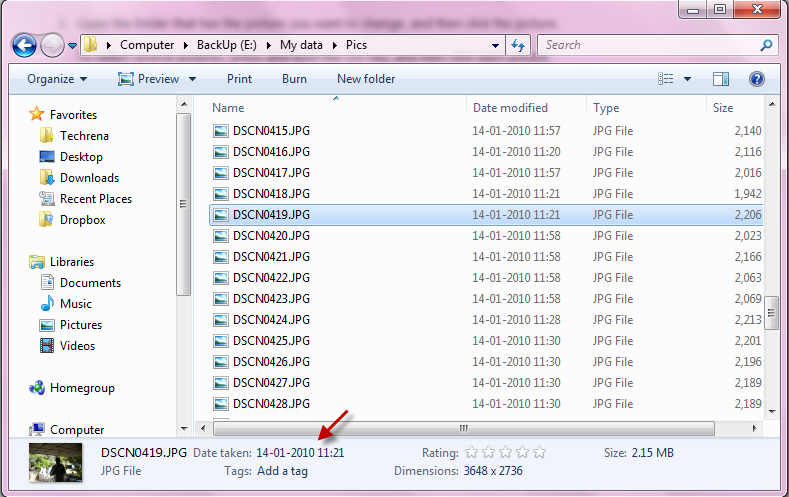
The modern day digital cameras include the time and date of the picture when you take snaps with them. This is very useful, when you see the pictures in future and want to know when it was taken. These details can be seen from the information along with the picture’s metadata when you transfer them to the PC. Fine, everything is good. But what would happen when you travel to a different time zone and forgot to reset the time and date in your camera’s settings? The digital camera would then stamp incorrect time and date onto your pictures. This is a common problem but fortunately, there is a great workaround available if you are using Windows 7. To see the “Time Taken” data of the picture, select the picture and then notice it on the details pane at the bottom of the window.
Let’s now see how to change the date when a picture was taken, on the Microsoft Windows 7 in 5 simple steps. Follow the steps briefed below.
I. Changing The Date When A Picture Was Taken:
Steps:
1. Open the folder where the target pictures reside.
2. Select the picture for which you want to change the date.
3. Now move your focus to the details pane at the bottom of the window.
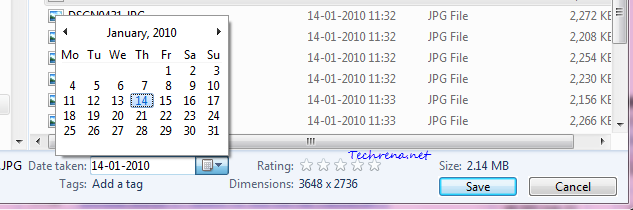
4. Click next to the “Date taken” and then click on the calendar icon to choose another date.
5. Click Save to change the settings that you have just changed.
Tip: You may also choose multiple pictures in the step 2 by holding down CTRL while selecting one or more pictures.
Note: If you don’t see any details pane, it might have been disabled. Read our earlier tutorial to enable the details pane in Windows 7 explorer.
II. Changing Both The Time And Date When A Picture Was Taken:
The aforementioned method changes only the date on which the picture was taken but not the time when it was captured. Follow these steps to change both the time and date when the picture was taken.
Steps:
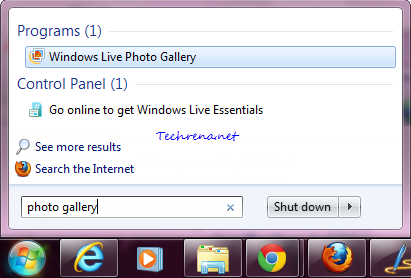
1. Press the Windows key on your Windows 7 machine and type photo gallery in the search box and open the “Windows Live Photo Gallery” from the results under the ‘Programs’.
2. Import the picture for which you want to change the date and time metadata and double-click on it to open it.
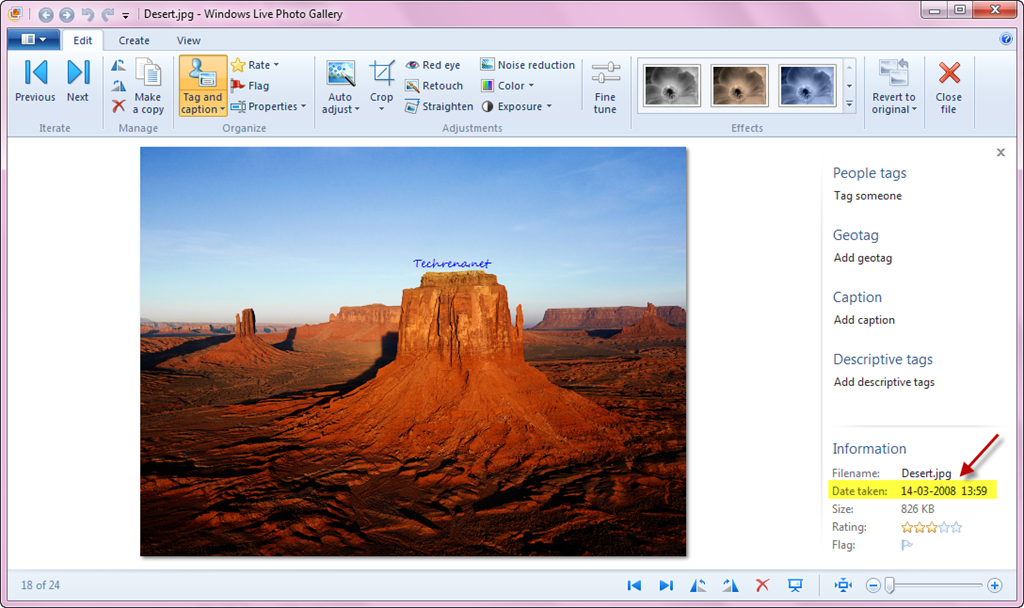
3. On the right hand side pane (Tag and caption pane), notice the “Information” section. You will see the ‘Date Taken’ data being listed there.
4. Click on the corresponding date and time values which you want to change.
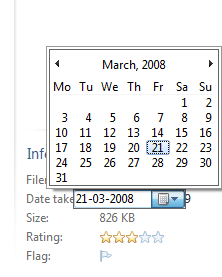
That is it. The picture will have new values for “Date Taken” metadata. Isn’t that simple?
[Via: Microsoft]




 found on the top right corner of the Internet Explorer. Choose “Internet options” from the menu.