In my last post you had seen how to download the newly released Windows 8 Pro version from Microsoft. Yes, there are a lot of other question on how do we install it etc. But first of all let me clear some questions which I had in my mind for all of you to see.
Will Microsoft allow Installation of the Upgrade version to any other PC instead of the Windows PC you used while buying the Upgrade key?
YES! Well it is very good in the part of Microsoft that they allow you to keep both Windows 7 and Windows 8 PCs! The FAQs in the Upgrade Offer page says:
“The upgrade offer is tied to a Windows 7 PC purchased between 2 June 2012 and 31 January 2013, but you can choose to redeem the offer and install the upgrade on any compatible Windows-based PC with a qualifying base operating system.”
The last part says “with a qualifying base operating system.” Well this is not necessary when you go for a clean install using the backup media. FYI, the base operating systems Microsoft is talking about is Windows XP, Vista, and Windows 7
Selecting “Keep Nothing” while running Windows 8 Upgrade program mean Clean Install?
NO. Clean install means installing the Windows to a formatted partition, meaning there will be no Data present before. “Keep Nothing” is an option during the Upgrade install where none of your Apps or files will be retained while Upgrading to Windows 8 from your previous Windows.
I selected Keep Files or Keep Apps instead of Keep Nothing while purchasing the Key. Will I be able to do a clean install from the backup media?
YES. Those options are valid only if you upgrade using the Windows 8 Upgrade program. Once you choose to create media instead of Install, those options are no longer relevant.
I want a 64-bit Windows 8 Pro, but my eligible PC is running 32-bit Windows. Will I be able to get and Install a 64-bit with the upgrade key I purchased?
YES. The upgrade is common for both 32-bit and 64-bit, meaning it works for both. You can download a 64-bit Windows 8 Pro with your key but only from a 64-bit Windows PC. This is because the Upgrade/Setup program will downloads the version which is only compatible to your Base OS. You can follow my last post on How to download Windows 8 Pro.
If you have any other questions while Installing or upgrading to Windows 8, do let me know. Just leave a comment below.



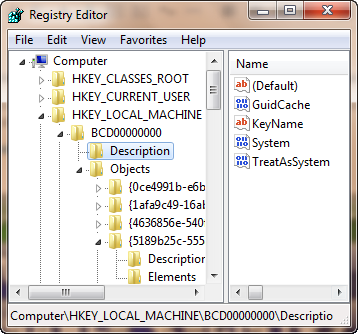
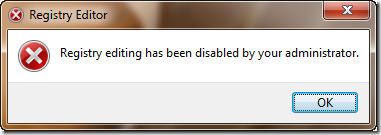 Well we have a lot of methods to disable or enable the registry editor. Some of the easiest ones are given here.